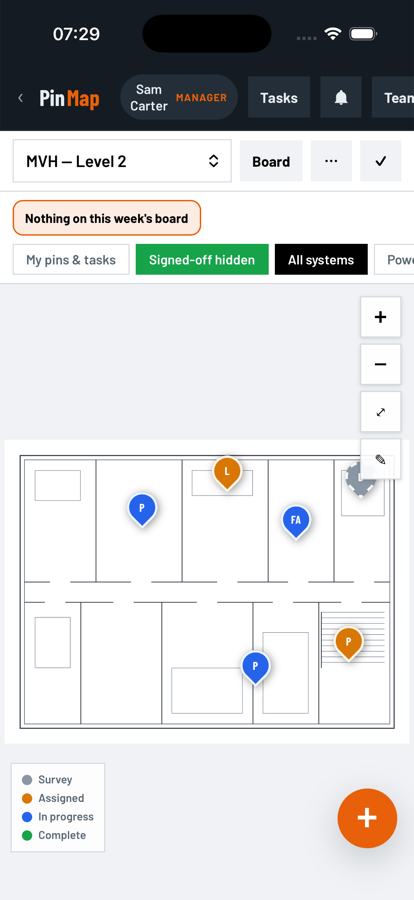
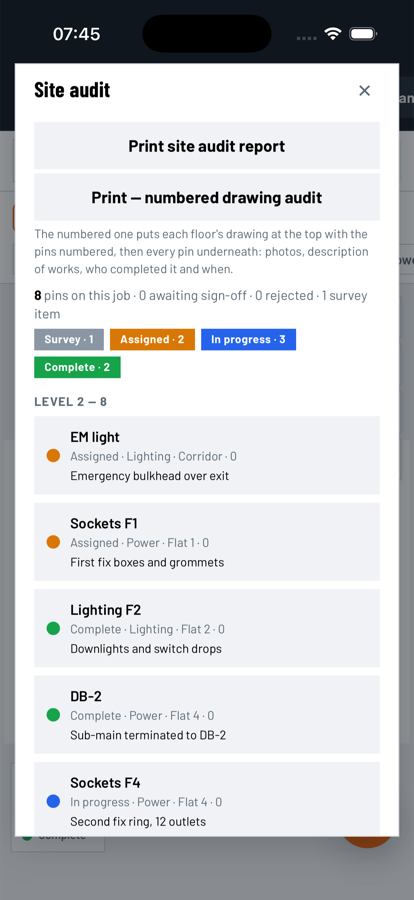
Pins and photos on the real drawing
Import the architect's PDF, pick the page, and the floor is ready. Pins carry the system, the area, the assignee, the photos and a full change log. Filter by system, by person, or hide what's already signed off. Systems are your list, set per company or per job.
- Power
- Lighting
- Fire alarm
- Fire dampers
- Data
- Your own
Works without signal
Open the app, drop pins and take photos with no connection. It sends everything the moment signal comes back and tells you what is waiting.
QA checks
First fix, second fix, testing and finish. Pass, fail or N/A per item, a photo for each, and sign-off gated until the test certificate is attached.
Variations and the notice clock
Extras logged on site the moment they're instructed. The notice period counts down from that date, and the letter is ready to print.
RFIs
A labelled point on the drawing, referenced to the architect's sheet, with an email draft ready to send.
Building surveys
Condition points with 1 to 3 ratings, defect and recommendation, and a printable Schedule of Condition.
Cable runs
Link two pins with a labelled run so the containment route is on the drawing, not in someone's head.
Weekly board and time sheets
Tasks by day, tied to pins on the drawing. The crew sees theirs. You see everything.
Audits and checklists
Walk a building from a template, answer each check (with suggested answers to tap), assign an audit to a person, and see what is still outstanding before you share it.
Tasks and job messages
A task board tied to the drawing. Only the person a task is for, or the office, can tick it off. A speech bubble gathers every task thread and a job-wide thread in one place.
Documents in one place
A folder tree for every job, drawings and certificates included, at no extra cost. Upload a whole folder at once.
Team and approvals
Office, manager and operative roles, with people put on the jobs they work. Only approved emails get in. Rejections need a reason and every change is logged with who and when.